
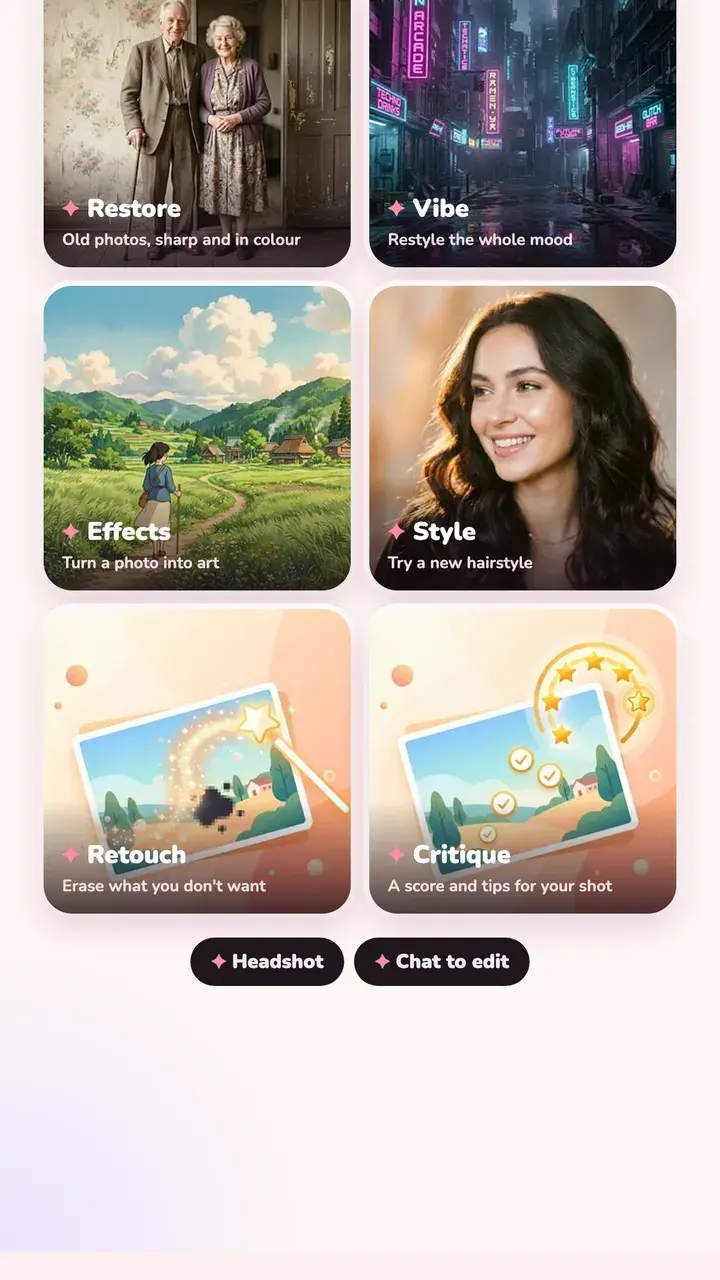
How to restore an old photo
Restore works on a photo of a print as well as on a scan.
- Lay the print flat in soft daylight, without glare.
- Shoot it straight on so the edges are square, then crop away the table.
- Open it in Tint Cam, go to the AI tab and tap Restore.
- Choose Fast or High quality, then save the result next to the original.
More AI tools
The same tab has other tools for when a filter isn't enough.
- Retouch: erase something you don't want in the shot
- Vibe and Style: restyle the mood or try a new hairstyle
- Headshot: turn a selfie into a professional headshot
- Critique: a score with tips for your photo
- Chat: describe the edit you want
What happens to your photo
The AI tab is optional and off until you agree to it. When you use it, the photo you're editing (resized) goes to our server and on to Google's Gemini API to make the result. We don't keep a copy, and Google doesn't use it to train its models. Everything else in Tint Cam stays on your phone.
Questions
How much does it cost to restore a photo?
Restore costs 3 credits; other AI tools cost 1. Every install starts with 3 free credits, so your first restore is free. More credits come in one-time packs, no subscription.
Can it colourise black and white photos?
Yes. Restore brings back colour along with fixing damage and blur.
Does it work on very damaged photos?
It handles scratches, creases, fading and blur well. If a big part of a face is missing, the AI has to guess, so check the result against the original.
Try it on your next photo
Free on iPhone and Android. No account.