
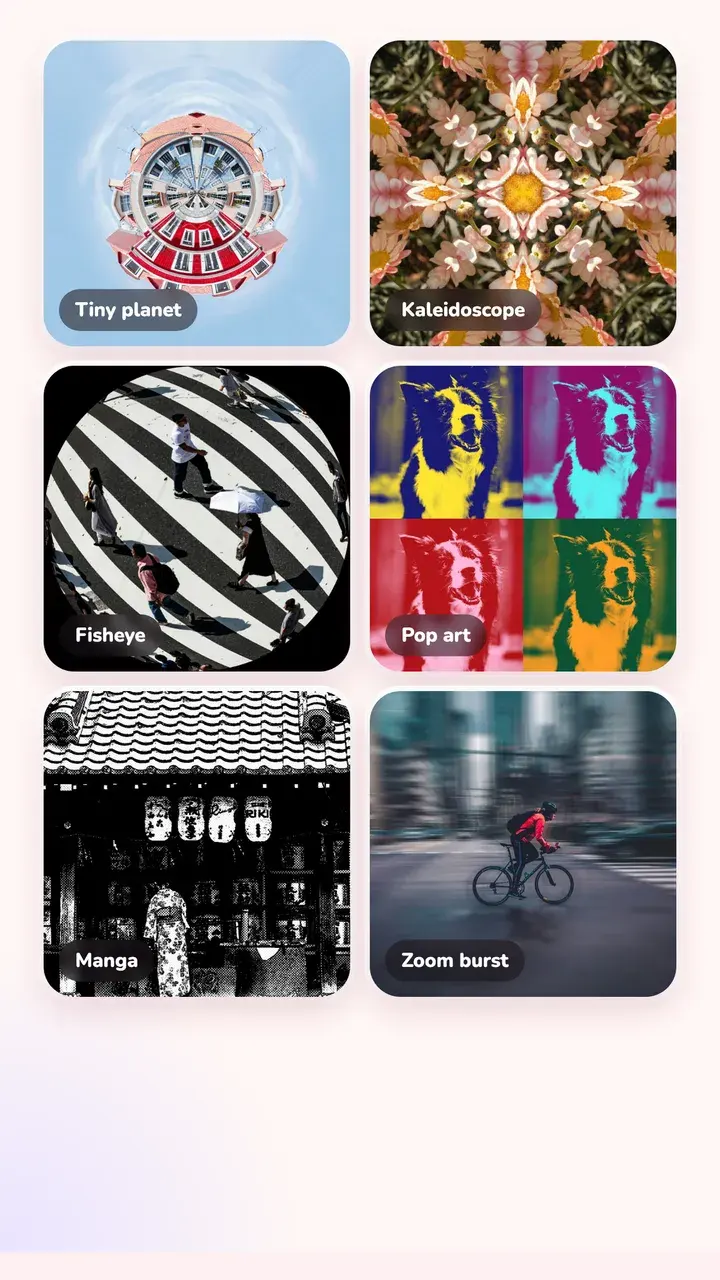
Every effect, one slider
Pick an effect and drag one slider to set how strong it is. One effect at a time, on top of any look.
- Transform: fisheye, tiny planet, kaleidoscope, mirror, pop art
- Motion: zoom burst, motion blur, echo, tilt-shift
- Light: rainbow prism, star filter, anamorphic flare, window light
- Art: painterly, manga, dither
- Retro: VHS, glitch, RGB split, low res
Light leaks, film burns and grain
For an analog finish, add light leaks, corner leaks, film burns, stains, colour noise or grain. Some looks already carry a matching effect, like a VHS look with the camcorder effect on.
Runs on your phone
Every lens effect is drawn on your phone, so it works offline and your photo isn't uploaded.
Questions
How do I add a star filter to a photo?
Open the photo in Tint Cam, go to Effects and pick Star filter. It adds sparkle rays to the bright points, like city lights or sun on water. Drag the slider to make the rays longer or shorter.
Can I make a tiny planet from a normal photo?
Yes. Tiny planet wraps the photo into a circle. It works best with a wide shot that has an even horizon, like a street, beach or field.
Are lens effects free?
You can try every effect for free. Some of the creative effects are part of Tint Pro.
Try it on your next photo
Free on iPhone and Android. No account.