
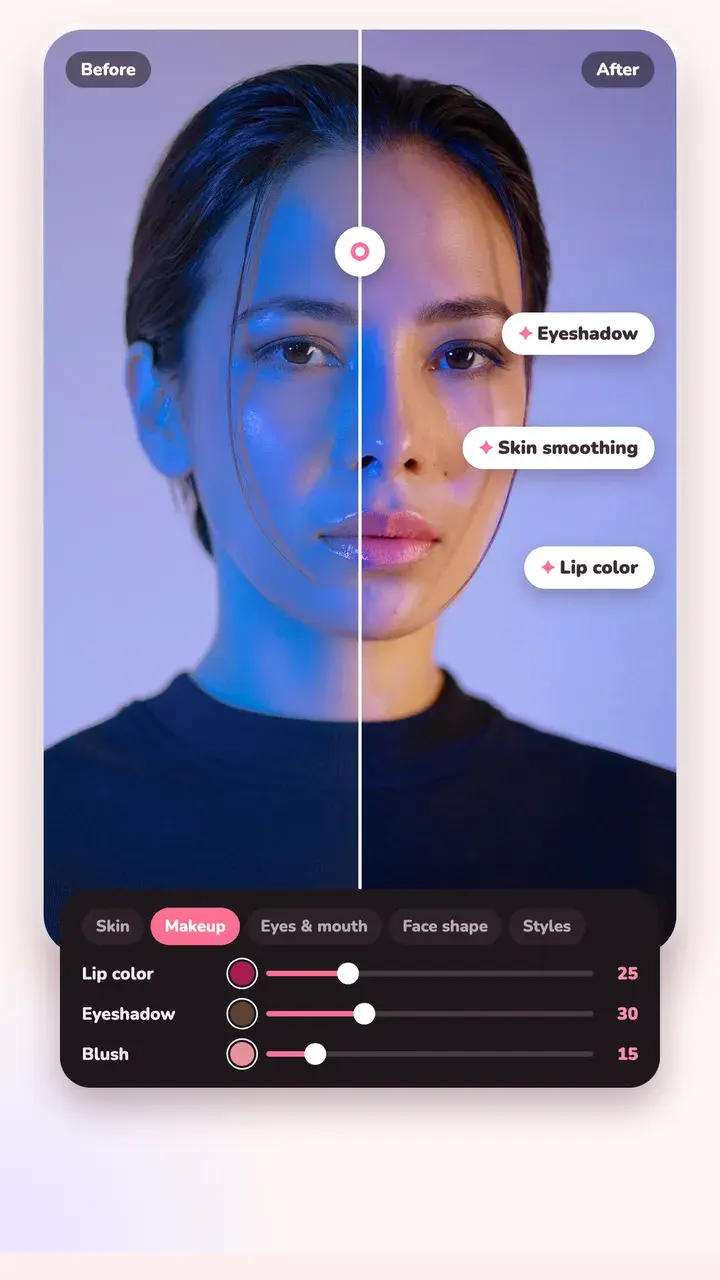
Skin
Skin smoothing that keeps edges like eyes, brows and hair sharp. Heal a blemish with a tap, or use Clone to copy from one spot to another. Brighten the person with Subject light and leave the background as it is.
Makeup and colour
Lip colour, eyeshadow, blush, brighter eyes and eye colour, each with its own slider. Change hair colour without painting it by hand.
Face and body
Face shaping (chin, forehead, eyes, lips and more) and body tools (waist, legs, shoulders, hips), plus a liquify brush for small fixes.
Private by design
Beauty only finds the outline of a face to know where to apply the edit. It doesn't recognise who you are, and it all runs on your phone.
Questions
Which beauty tools are free?
Everyday skin retouch, blemish heal, slim waist, longer legs and Subject light are free. Face reshaping, full makeup, hair colour and the other body tools are part of Tint Pro.
Will skin smoothing make my photo look fake?
It's built to avoid that. The smoothing keeps edges and fine detail, and you set the strength with a slider. Around 20 to 40 looks natural on most photos.
Does it upload my face anywhere?
No. Beauty runs entirely on your phone and never does face recognition.
Try it on your next photo
Free on iPhone and Android. No account.