
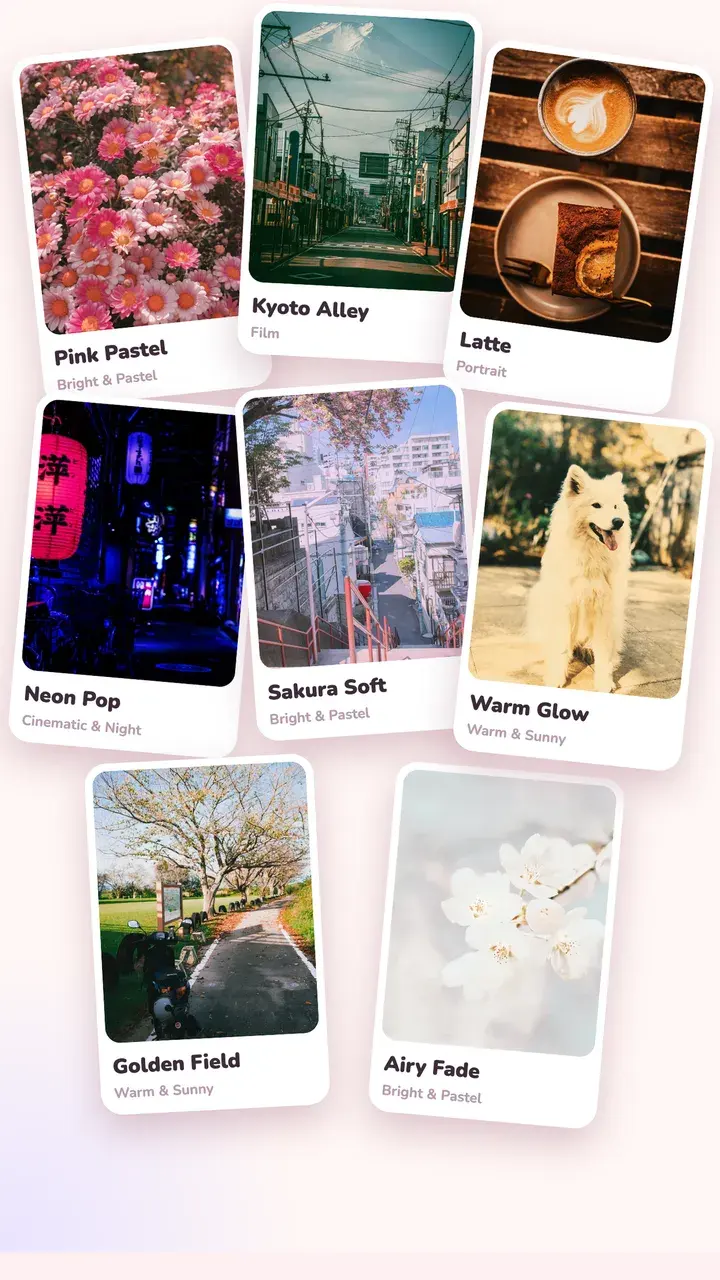
12 collections
Bright & Pastel, Film, Portrait, Black & White, Warm & Sunny, Seasons & Moments, Landscape, Cinematic & Night, Vintage & Toy Cam, Y2K & Retro, Film Damage and Combos. Combos pair colour with light and texture: dreamy glow, star sparkle, light leaks and glitch.
Looks picked for your photo
The “For this photo” tab checks what's in the shot (a face, sky, plants, flowers, food, a night street) with your phone's own on-device recognition, and puts the looks that suit it first. Swipe left or right on the photo to try the next look, with its name shown on screen.
Fine-tune, then save your own
Every look has an intensity slider. Hold the photo to compare with the original at any time.
- Exposure, contrast, whites and blacks, temperature
- Tone curves (RGB and per channel), HSL and colour grading
- Stack a new look on top of a saved one
- Save your recipe as a preset and reuse it on any photo
- Batch edit: one look on several photos at once
More looks from the Look Market
The Look Market lists extra looks from Tint Cam and other users. Try one on your photo, then download it straight into your filter tray.
Questions
How do I get a film look on iPhone photos?
Open the photo in Tint Cam, go to the Film collection and swipe through the looks on your own photo. Lower the intensity if it's too strong, and add grain from the look or a light leak from Effects for a more analog feel.
Are the filters free?
About 35 looks are free, including most of Bright & Pastel and Black & White and a few from each other collection. Tint Pro unlocks all of them with a one-time purchase.
Can I use the same filter on many photos?
Yes. Save the look as a preset, or pick several photos and use batch edit to apply one look to all of them.
Try it on your next photo
Free on iPhone and Android. No account.