
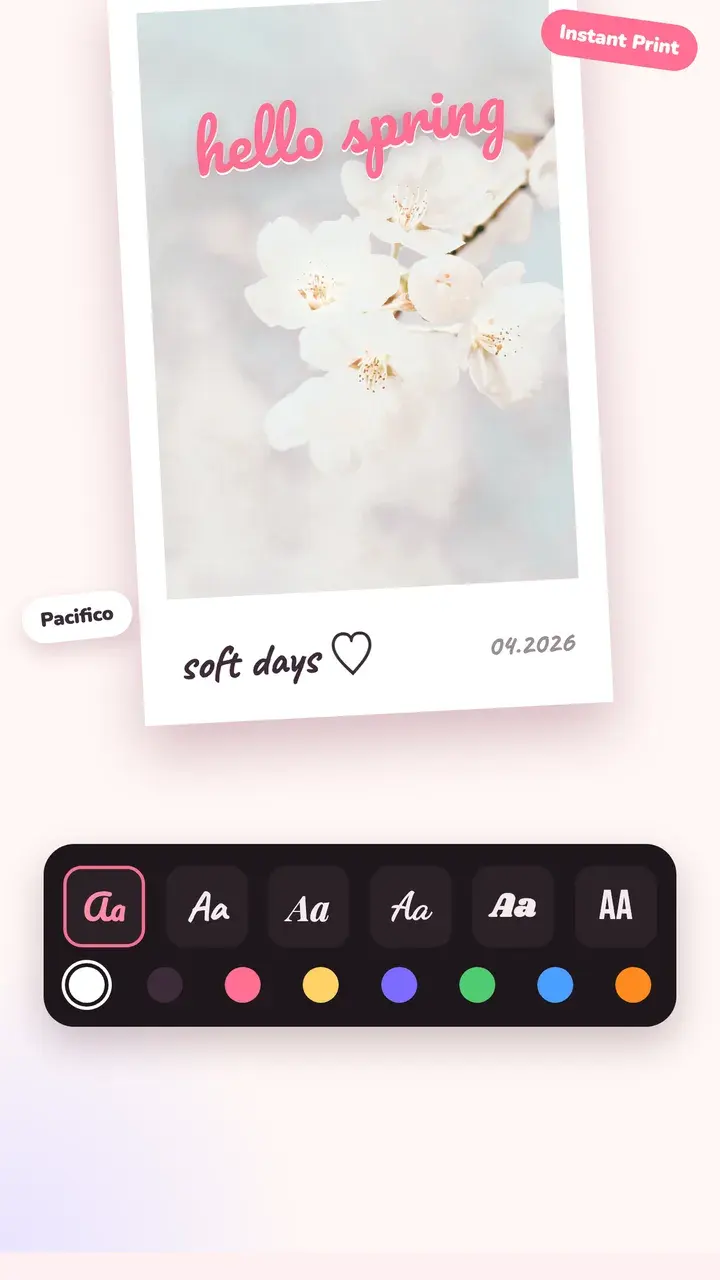
Frames
Pick a frame and the photo fits inside it. You can move and zoom the photo inside the frame.
- Instant print frames with space for a caption
- Film strips and negative borders
- Date stamps in the classic orange
- Minimal borders in any colour
- App-style frames: magazine cover, lock screen, music player, camcorder and viewfinders
Text that looks hand-made
18 fonts, from handwriting to bold display type. Change colour, add an outline or shadow, or curve the text along an arc. Drag, pinch and rotate text and stickers anywhere on the photo.
The right size for every app
Crop to Story (9:16), Post (4:5) or Square in one tap, then save at full resolution.
Questions
How do I add an instant print border to a photo?
Open the photo in Tint Cam, go to Frame and choose an instant print. Add a caption on the bottom border with a handwriting font, and turn on the date if you want it.
Can I put the date on a photo like an old camera?
Yes. Pick a date stamp frame in the editor, or turn on Date in the camera so the date is on the photo as you shoot.
Which frames are free?
The Free and Minimal frame packs are free. Tint Pro unlocks every frame pack.
Try it on your next photo
Free on iPhone and Android. No account.