
Booth: four shots, one strip
Booth mode takes four photos in a row, then joins them as a 2×2 grid or a vertical strip, like the booth at the mall. With the pose guide on, Booth gives you a different pose for each frame.
Instant: the print, straight from the camera
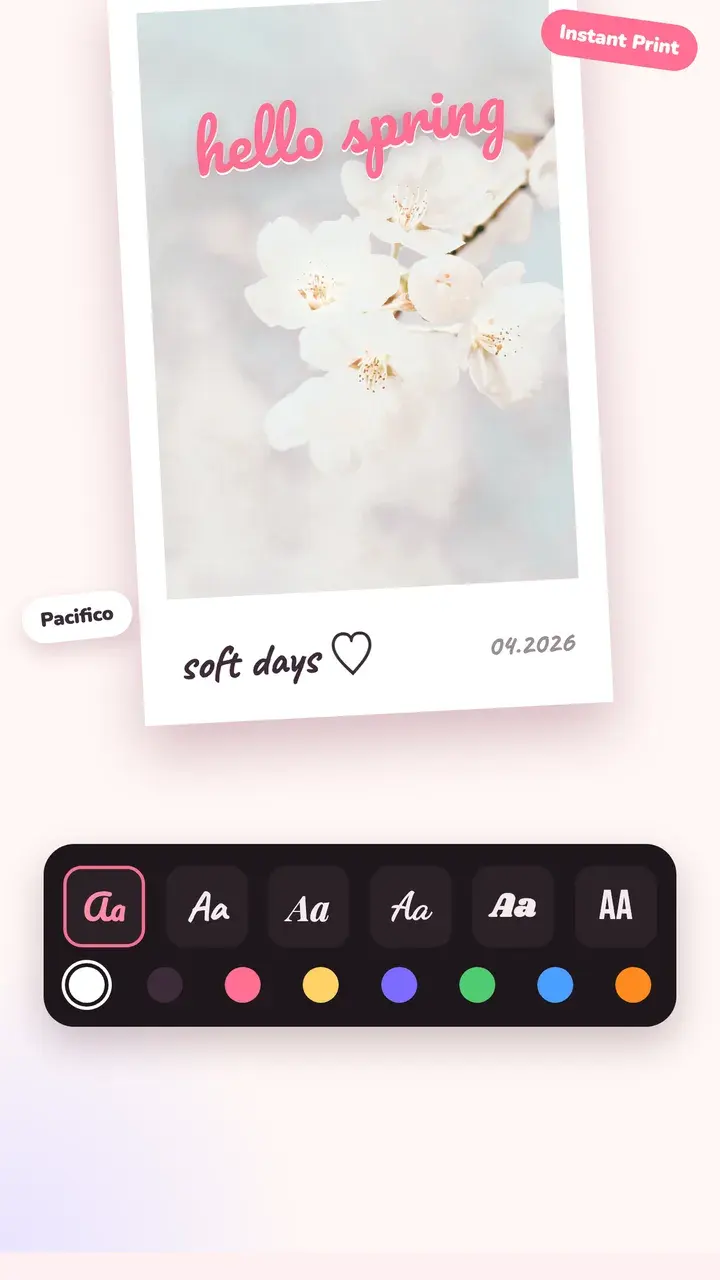
Instant mode shoots with a sunny instant-film colour and prints the photo into an instant frame. Add a caption or the date on the white border in the editor, in handwriting fonts.
Dual: you and the view in one shot
Dual mode shoots the back and front cameras together, so the view and your reaction end up in the same photo.
Capsule: a photo you can't see yet
Seal a photo away until a date you pick, from a few minutes to years. Home shows your sealed capsules and tells you when one is ready to open.
Questions
How do I make a photo booth strip on my phone?
Open the Tint Cam camera, switch to Booth, choose strip or grid, and press the shutter once. The app takes four photos in a row and joins them for you.
Can I add an instant print frame to a photo I already have?
Yes. Open the photo in the editor, go to Frame and pick an instant print, film strip or another frame. Add the date and a caption if you like.
Are the camera modes free?
Yes, every shooting mode is free. Some films and frames are part of Tint Pro.
Try it on your next photo
Free on iPhone and Android. No account.